
What is Robot.txt
Basically, robot.txt is a text file in the root folder of the website to guide crawlers on which pages shouldn’t be crawled
When the crawler robot comes across your website, it immediately looks for a robots.txt in the root folder of your website.
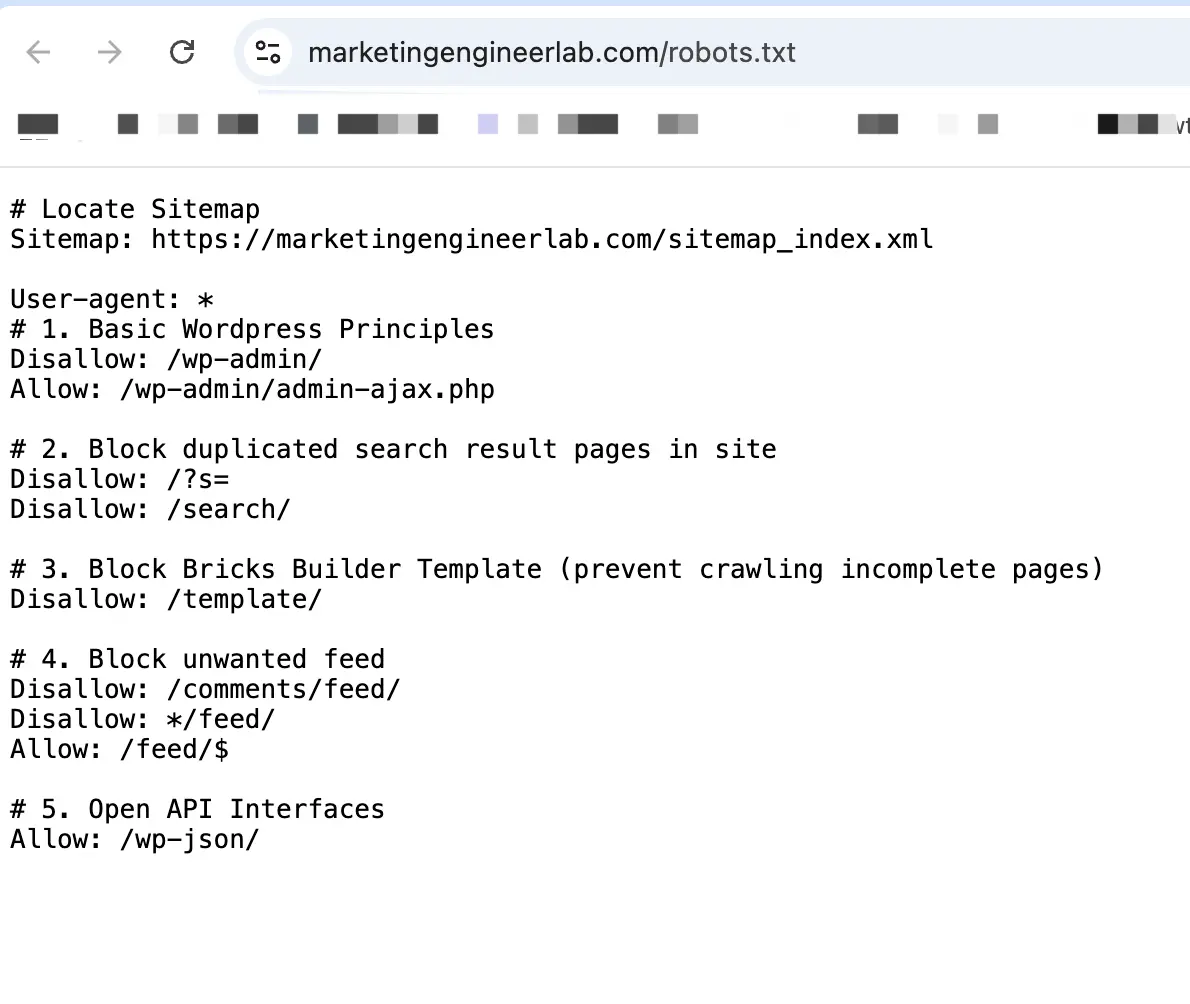
The basic elements, what we called syntax, should be included in this file.
- user-agent: which crawler are we “talking” to
- disallow: the path we want to block
- allow: the path we want to crawl
- sitemap: location of the sitemap file
- crawl-delay: controls the crawling speed (optional and not supported by GoogleBot)
Here is an example from this website
Why we need it: benefits
Benefit 1: Manage Crawling Budget
The first benefit of robot.txt is that it can rule out specific pages from crawling for managing crawling load and efficiency. Crawling resources assigned to your website is normally limited, which means unnecessary page crawling could harm your important page crawling.
Benefit 2: Block your properties from unwanted crawling
It also prevents specific document types from crawling. Let’s say, If you want to capture the email list from users before sharing a PDF e-book, you probably don’t want your users to be able to search them on the internet.
Benefit 3: Deter Unwanted Bots
Your server may become overloaded due to aggressive crawling from specific bots. As a consequence, your users and customers could be blocked outside your web pages. (Because all your server resources are used to serve the crawling bots instead of your users’ visit).
In that case, you may want to add specific command in your robots.txt to prevent these bots from crawling your website.
FAQ
What is the difference between disallowing in robots.txt and using a noindex tag?
This is the most critical distinction to understand.robots.txt (Disallow): Tells search engines “Do not crawl this page.” However, if other pages link to this disallowed page, Google may still index it without visiting itnoindex Meta Tag: Tells search engines “Do not show this page in search results.” For this tag to be seen, a crawler must be allowed to crawl the page.
Rule of Thumb: If you want a page completely excluded from search results, do not disallow it in robots.txt. Instead, allow crawling and use the noindex tag.
Where should the robots.txt file be placed?
It must be placed in the root directory of your website. For example, for the domain www.example.com, the file must be accessible at www.example.com/robots.txt. It will not be found in any subdirectory.
Will robots.txt stop my sensitive pages from being seen?
No. The robots.txt file is publicly visible and relies on crawlers being cooperative. Malicious bots will ignore it completely. Never use robots.txt to hide sensitive user data or private sections of a site. Use proper authentication (like a password-protected directory) for security.